Sign Up & Get Rs.5,000 OFF On Your First Purchase




Computer Chairs
Shop computer chairs built for comfort and long work sessions at Pepperfry. Browse mesh-back designs for breathability, ergonomic options with lumbar support, and revolving chairs with smooth-rolling castors. Find styles suited for home offices, study corners, and professional workspaces across India.


Filter By More Filters
 Sort By
Showing 1-40 of 346 options

New Arrivals
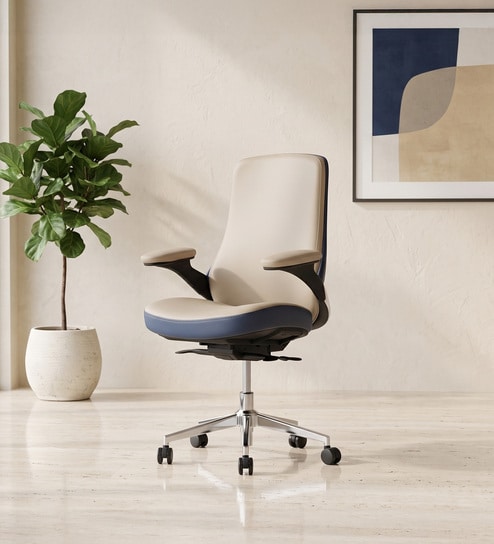
Pheonix Leatherette Medium Back Chair In Beige Colour
By Royaloak
12-Month Warranty Available
₹27,500 ₹65,000 (58% off)
EMI starting from ₹1,321/month
Ships in 3 days
New Arrivals
 +3 more colors
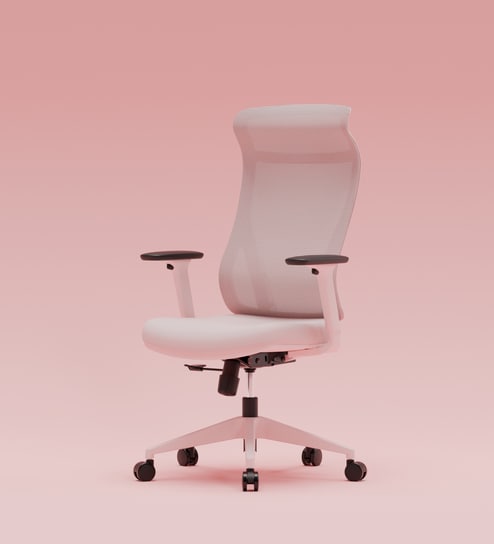
The Novice Premium Ergonomic Chair In Parisian Pink Colour
By Superergo
60-Month Warranty Available
₹12,749 ₹14,999 (15% off)
EMI starting from ₹613/month
Express Shipping in 2 days
New Arrivals
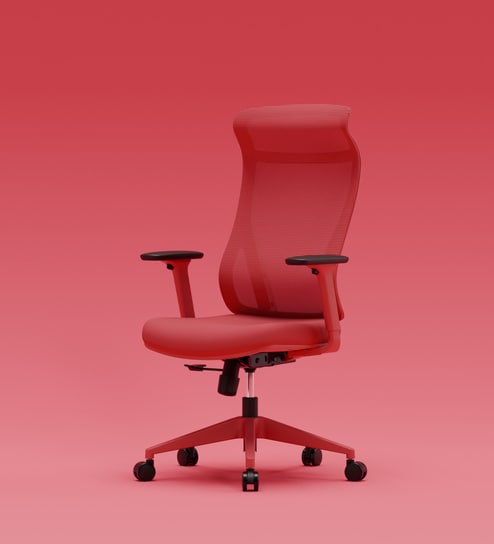
+3 more colorsThe Novice Premium Ergonomic Chair In Ember Red Colour
By Superergo
60-Month Warranty Available
₹12,749 ₹14,999 (15% off)
EMI starting from ₹613/month
Express Shipping in 2 days
New Arrivals
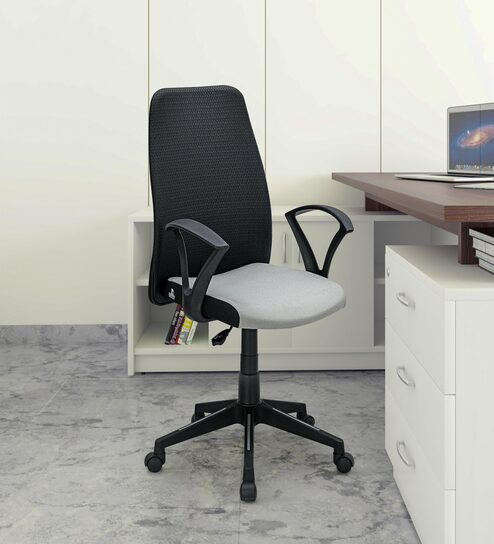
Solitaire Mid Back Chair In Black Colour
By Nilkamal
12-Month Warranty Available
₹6,400 ₹7,500 (15% off)
EMI starting from ₹308/month
Ships in 4 days
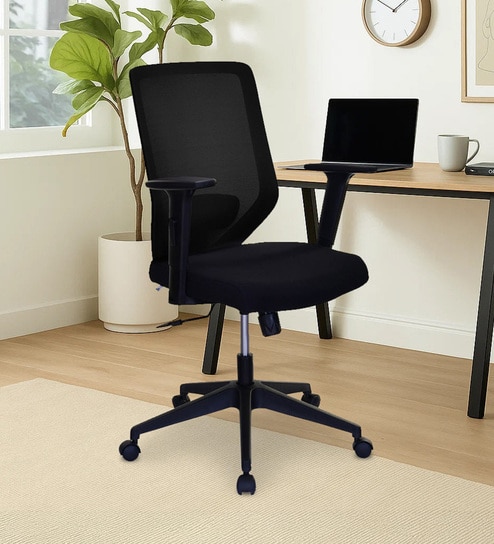
New Arrivals
Poise Mid Back Office Chair In Black Colour
By Nilkamal
12-Month Warranty Available
₹11,100 ₹14,100 (21% off)
EMI starting from ₹533/month
Ships in 4 days
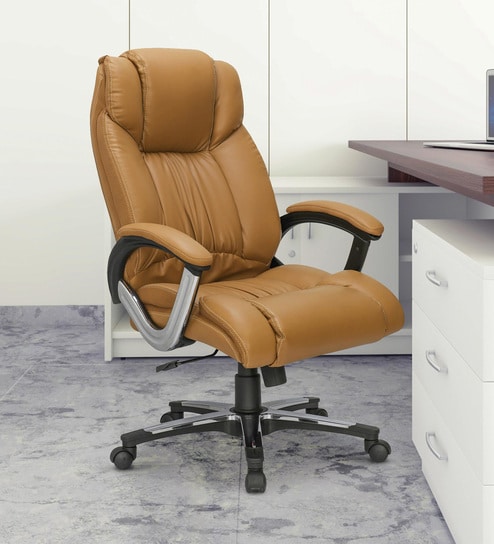
New Arrivals
Trenvi High Back Office Chair In Tan Colour
By Nilkamal
12-Month Warranty Available
₹15,500 ₹20,400 (24% off)
EMI starting from ₹745/month
Ships in 4 days
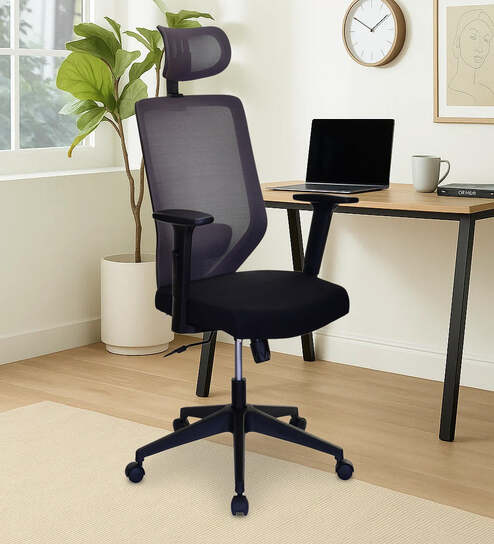
New Arrivals
Poise High Back Office Chair In Grey Colour
By Nilkamal
12-Month Warranty Available
₹11,800 ₹14,800 (20% off)
EMI starting from ₹567/month
Ships in 4 days
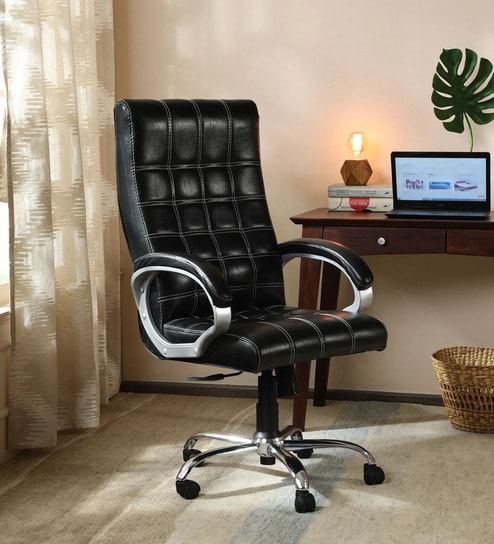
Extra Offer Inside
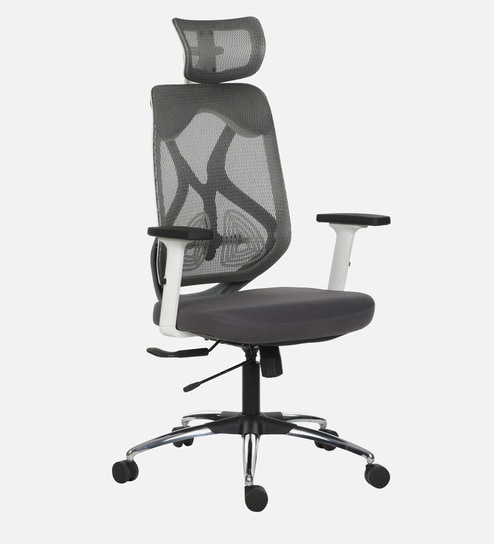
Flexrest Office Chair With Leather Pattern In Black Colour
By HomeTown
12-Month Warranty Available
₹12,300 ₹24,000 (49% off)
EMI starting from ₹591/month
Extra Offer Inside
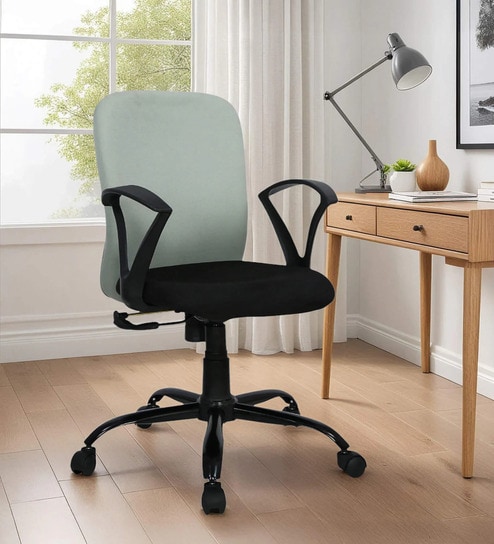
Smartseat Office Chair In White And Grey Colour
By HomeTown
12-Month Warranty Available
₹13,500 ₹27,000 (50% off)
EMI starting from ₹649/month
Extra Offer Inside
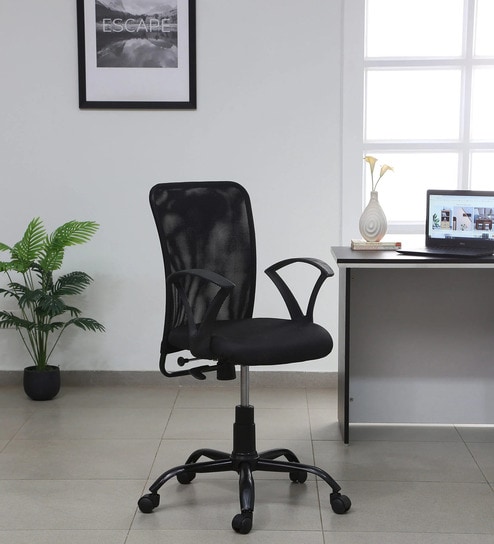
Ergoflex Office Chair In Grey Colour
By HomeTown
12-Month Warranty Available
₹6,700 ₹13,500 (50% off)
EMI starting from ₹322/month
Extra Offer Inside
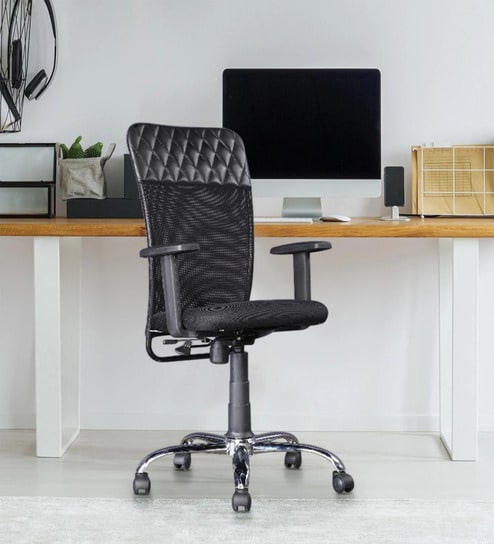
Workflex Office Chair In Black Colour
By HomeTown
12-Month Warranty Available
₹5,850 ₹12,000 (51% off)
EMI starting from ₹281/month
Extra Offer Inside
Comfora Office Chair In Black Colour
By HomeTown
12-Month Warranty Available
₹6,400 ₹13,000 (51% off)
EMI starting from ₹308/month
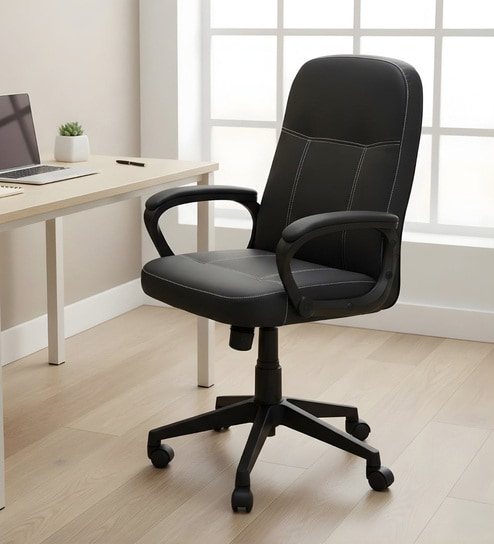
New Arrivals
Mayor Office Chair In Black Colour
By Nilkamal
12-Month Warranty Available
₹11,900 ₹19,500 (39% off)
EMI starting from ₹572/month
Ships in 4 days
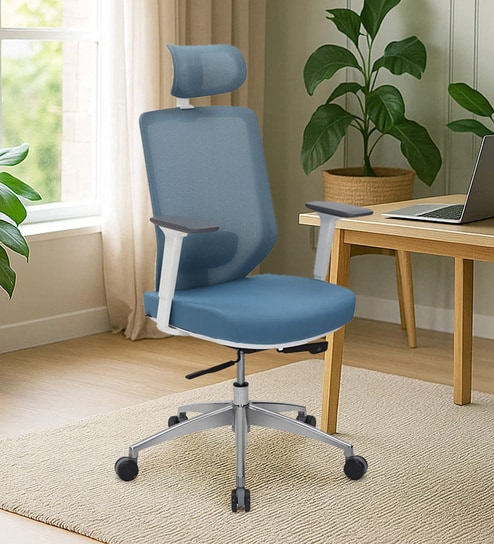
New Arrivals
Poise Pro Office Chair In Blue Colour
By Nilkamal
12-Month Warranty Available
₹18,900 ₹24,400 (23% off)
EMI starting from ₹908/month
Ships in 4 days
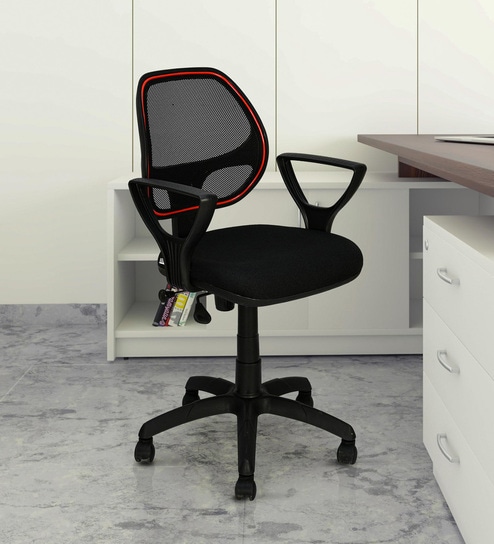
New Arrivals
Calida Office Chair In Black Colour
By Nilkamal
12-Month Warranty Available
₹5,800 ₹6,500 (11% off)
EMI starting from ₹279/month
Ships in 4 days
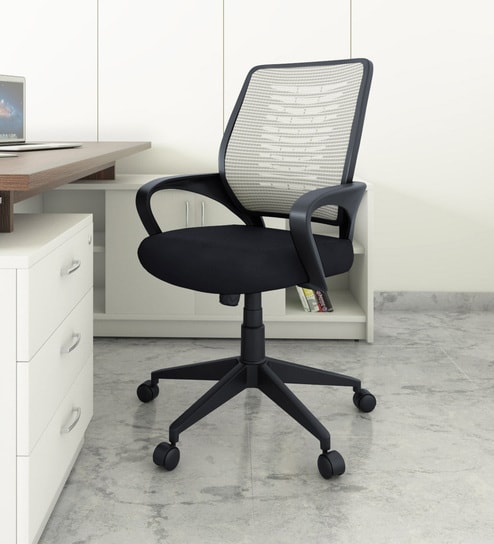
New Arrivals
Otis Office Chair In Black Colour
By Nilkamal
12-Month Warranty Available
₹6,600 ₹7,900 (16% off)
EMI starting from ₹317/month
Ships in 4 days
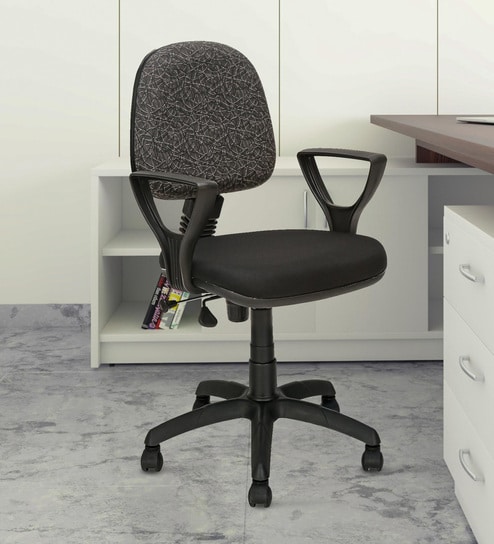
New Arrivals
Soren Office Chair In Black Colour
By Nilkamal
12-Month Warranty Available
₹5,300 ₹5,900 (10% off)
EMI starting from ₹255/month
Ships in 4 days
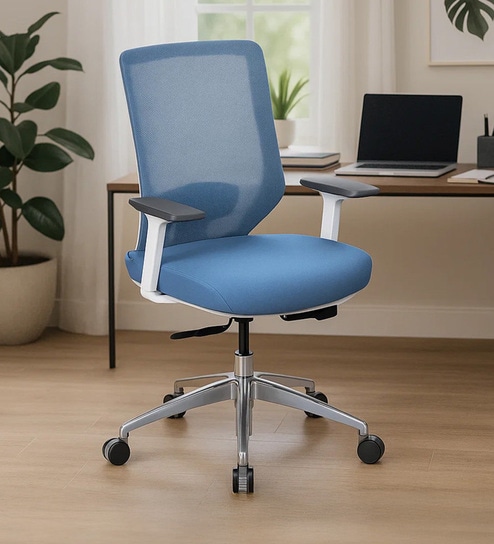
New Arrivals
Poise Pro Office Chair In Blue Colour
By Nilkamal
12-Month Warranty Available
₹17,800 ₹22,400 (21% off)
EMI starting from ₹855/month
Ships in 4 days
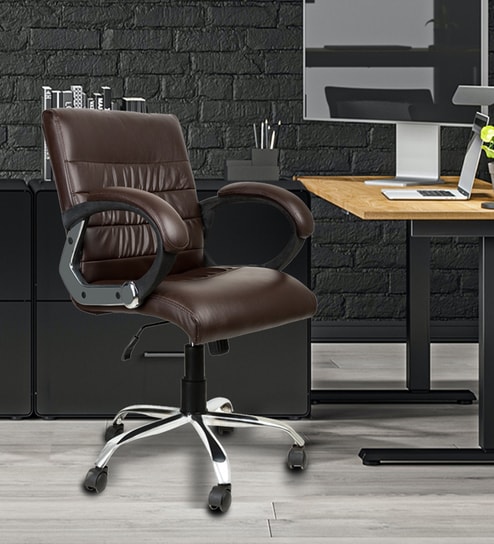
New Arrivals
+2 more colorsBozo Medium Back Office Executive Chair In Dark Brown Colour
By DIVINE DREAMS
₹7,950 ₹12,000 (34% off)
EMI starting from ₹382/month
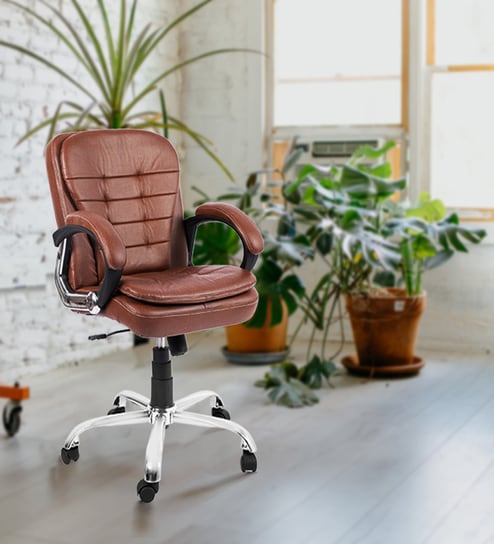
New Arrivals
Agita Medium Back Office Executive Chair In Dark Brown Colour
By DIVINE DREAMS
₹8,950 ₹12,000 (25% off)
EMI starting from ₹430/month
New Arrivals
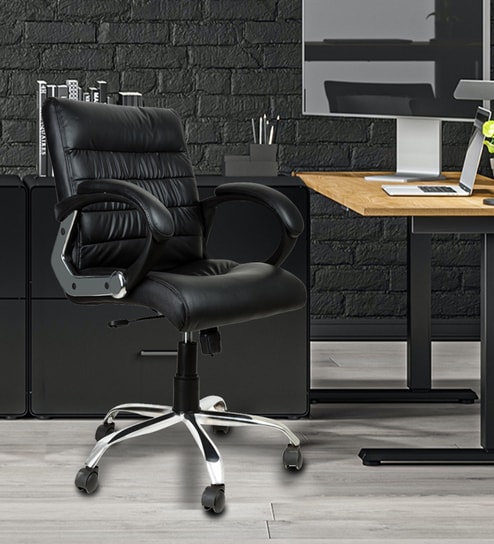
+2 more colorsBozo Medium Back Office Executive Chair In Black Colour
By DIVINE DREAMS
₹7,950 ₹12,000 (34% off)
EMI starting from ₹382/month
New Arrivals
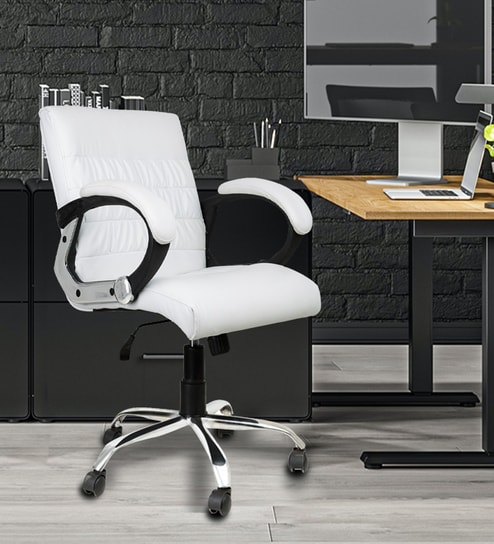
+2 more colorsBozo Medium Back Executive Chair In White Colour
By DIVINE DREAMS
₹7,950 ₹12,000 (34% off)
EMI starting from ₹382/month
New Arrivals
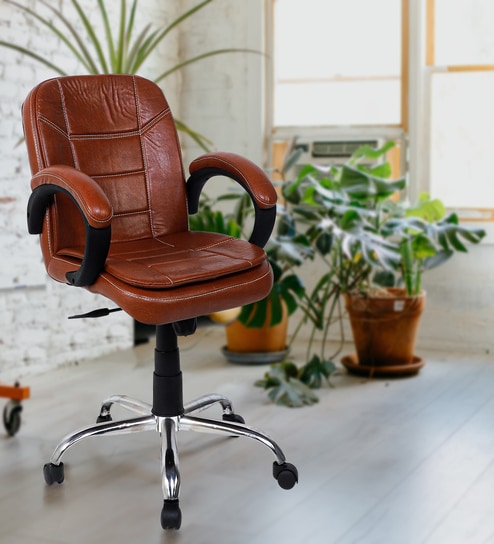
Crestino Low Back Office Desk Chair In Light Brown Colour
By DIVINE DREAMS
₹6,950 ₹10,000 (31% off)
EMI starting from ₹334/month

New Arrivals
Crestino Ergonomic Adjustable Chair In Black Finish
By DIVINE DREAMS
₹6,950 ₹10,000 (31% off)
EMI starting from ₹334/month

New Arrivals
+2 more colorsLavish Medium Back Fabric Office Desk Chair In Dark Brown Colour
By DIVINE DREAMS
₹11,950 ₹12,000
EMI starting from ₹574/month

New Arrivals
+2 more colorsLavish Medium Back Office Desk Chair In White Colour
By DIVINE DREAMS
₹10,950 ₹12,000 (9% off)
EMI starting from ₹526/month

New Arrivals
+2 more colorsLavish Medium Back Office Desk Chair In Black Colour
By DIVINE DREAMS
₹10,950 ₹12,000 (9% off)
EMI starting from ₹526/month

New Arrivals
+1 more colorsVertigo Ergonomic Mesh Office Chair Mid Back In Red Colour
By DIVINE DREAMS
₹5,850 ₹10,000 (42% off)
EMI starting from ₹281/month

New Arrivals
+1 more colorsVertigo Ergonomic Mesh Office Chair Mid Back In Black Colour
By DIVINE DREAMS
₹5,850 ₹10,000 (42% off)
EMI starting from ₹281/month

New Arrivals
+1 more colorsOxter Medium Back Mesh Office Chair In Red Colour
By DIVINE DREAMS
₹5,950 ₹10,000 (41% off)
EMI starting from ₹286/month
New Arrivals
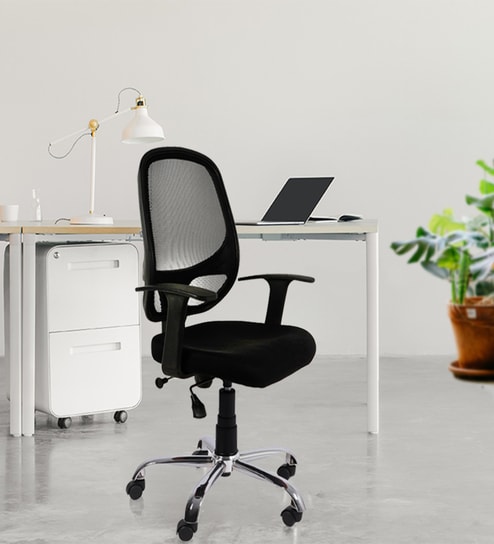
+1 more colorsOxter Medium Back Mesh Office Chair In Black Colour
By DIVINE DREAMS
₹5,950 ₹10,000 (41% off)
EMI starting from ₹286/month

Extra Offer Inside
+1 more colorsModern Leisure Adjustable Swivel Chair In Aqua Finish
By COMFIDELITAS
3-Month Warranty Available
₹8,125 ₹11,999 (32% off)
EMI starting from ₹391/month

Extra Offer Inside
+1 more colorsModern Leisure Adjustable Swivel Chair In Brown Finish
By COMFIDELITAS
3-Month Warranty Available
₹8,125 ₹11,999 (32% off)
EMI starting from ₹391/month
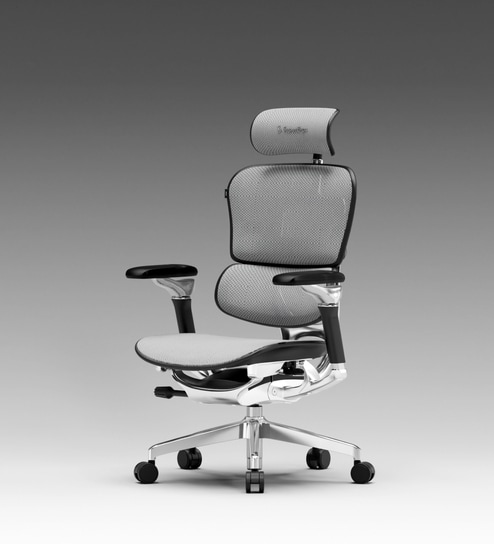
New Arrivals
+2 more colorsThe Chief Premium Ergonomic Chair In Cosmic Grey Colour
By Superergo
60-Month Warranty Available
₹59,499 ₹69,999 (15% off)
EMI starting from ₹2,857/month
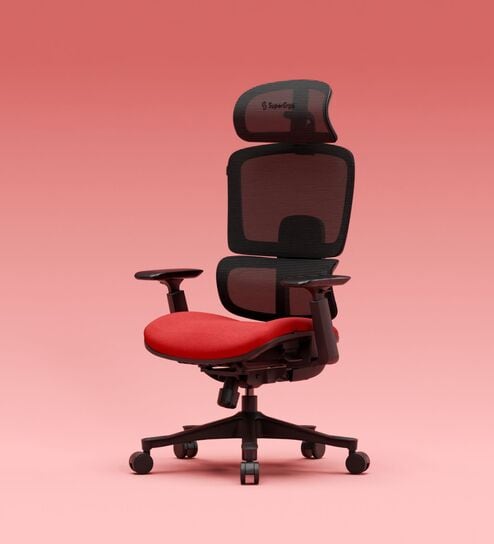
New Arrivals
+3 more colorsThe Director Premium Ergonomic Chair In Blood Red Colour Without Footrest
By Superergo
60-Month Warranty Available
₹28,049 ₹32,999 (15% off)
EMI starting from ₹1,347/month
Express Shipping in 2 days
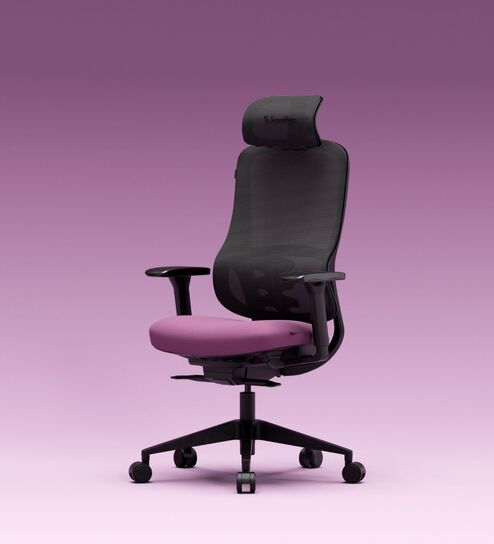
New Arrivals
+4 more colorsThe Specialist Premium Ergonomic Chair In Phantom Purple Colour
By Superergo
60-Month Warranty Available
₹16,999 ₹19,999 (15% off)
EMI starting from ₹817/month
Express Shipping in 2 days
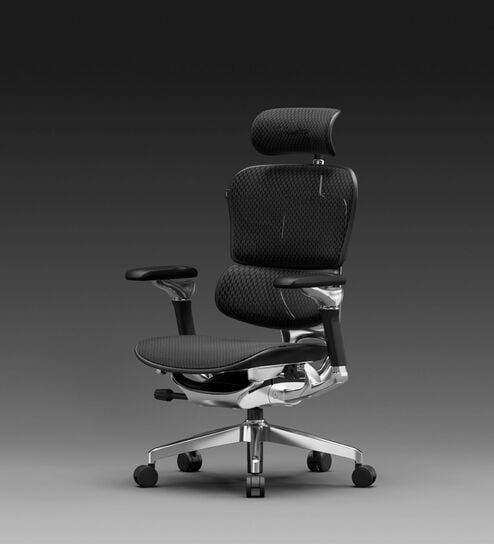
New Arrivals
+2 more colorsThe Chief Premium Ergonomic Chair In Midnight Black Colour
By Superergo
60-Month Warranty Available
₹59,499 ₹69,999 (15% off)
EMI starting from ₹2,857/month
Express Shipping in 2 days
New Arrivals
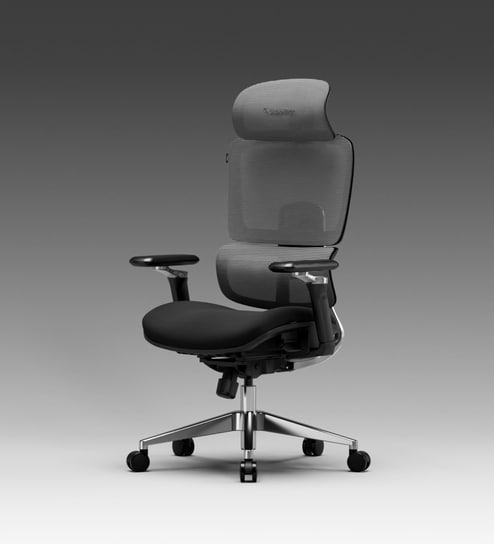
+2 more colorsThe Director Metal Premium Ergonomic Chair In Eclipse Grey Colour Without Footrest
By Superergo
60-Month Warranty Available
₹33,999 ₹39,999 (15% off)
EMI starting from ₹1,633/month
New Arrivals
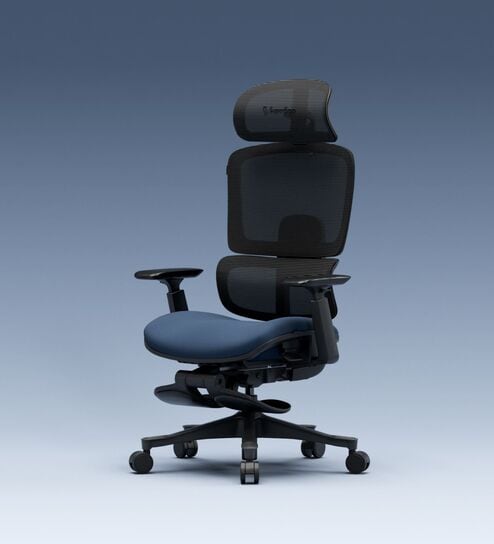
+4 more colorsThe Director Premium Ergonomic Chair In Prussian Blue Colour With Footrest
By Superergo
60-Month Warranty Available
₹29,749 ₹34,999 (15% off)
EMI starting from ₹1,429/month
Express Shipping in 2 days
New Arrivals
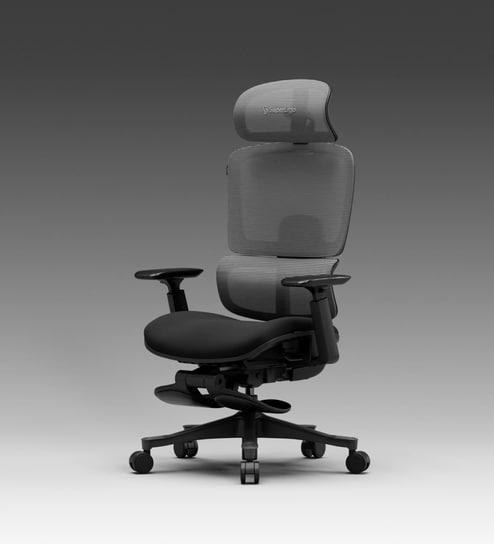
+4 more colorsThe Director Premium Ergonomic Chair In Eclipse Grey With Footrest
By Superergo
60-Month Warranty Available
₹29,749 ₹34,999 (15% off)
EMI starting from ₹1,429/month
Didn't Find What You Were Looking For? Share your Feedback with Us ->
Computer Chairs - Comfortable Seating for Home Offices and Workspaces
A good computer chair does more than fill a spot at your desk. It shapes how you feel after hours of work, study, or gaming. The wrong chair leaves you shifting constantly, standing up to stretch, or dealing with stiffness by evening. The right one lets you focus on the screen, not your lower back.
Ergonomic furniture adapts to the natural shape of the human body to ensure good posture and maximum comfort. - Houzz
At Pepperfry, we stock computer chairs designed for Indian homes and offices. Our range covers mesh-back models that stay cool, cushioned seats with proper lumbar curves, and revolving bases that move when you need to reach across a wide desk. As one of India's trusted furniture destinations, we help you find seating that fits your space, work habits, and budget.
What Types of Computer Chairs Suit Your Work Style?
Computer chairs differ in three main ways: back construction, base mobility, and rotation range. Each feature changes how the chair performs during daily use. Knowing these differences helps you pick a chair that matches your hours at the desk and the tasks you handle.
Mesh backs, wheeled bases, and swivel mechanisms each solve different problems. A chair with all three suits someone who spends six to eight hours daily at a multi-monitor setup. A simpler design works fine for occasional homework or light browsing.
Browse our full office chairs collection to compare options.
Mesh Computer Chairs
Mesh-back chairs use a woven fabric stretched over a frame. This allows air to pass through, keeping your back cooler during long sessions. In warmer regions across India, this breathability matters. Fully upholstered chairs trap heat against your body, leading to discomfort by afternoon.
Mesh chairs also tend to weigh less than padded alternatives. Moving them around a room or adjusting their position takes less effort. Many users prefer the firm, supportive feel that mesh provides compared to cushioning that compresses over time. Check our ergonomic chairs category for mesh options with adjustable features.
Wheeled and Revolving Computer Chairs
Castors let you roll across the floor without standing up. This matters when your desk setup includes shelves or drawers within arm's reach. Look for the castor type: hard-floor wheels have softer coatings to protect tile and wood, while carpet-rated wheels grip better on rugs.
A revolving computer chair with a swivel base rotates 360 degrees. This suits multi-monitor workstations or L-shaped desks. Always check that the base has five points rather than four. Five-point bases stay stable when you lean back or shift your weight.
Quick Tip: Match your casters to your floor type. Hard-floor wheels on carpet can feel sluggish, while carpet wheels on tile may scratch the surface.
How Do You Choose an Ergonomic Computer Chair for Long Work Hours?
Hours at a desk without proper support strain your neck, shoulders, and lower back. An ergonomic computer chair addresses this through adjustable parts that fit your body and sitting habits. If you work from home six or more hours daily, investing in proper ergonomics pays off in comfort and focus. Good support starts with these key features:
Incorporate a functional desk with ample storage for all your supplies and a cushioned ergonomic chair with good back support. - Architectural Digest
-
Adjustable seat height lets you set your thighs parallel to the floor, with feet flat. Most Indian standard desks sit between 72 and 75 centimetres high. Your chair should adjust within a range that allows proper leg positioning.
-
Lumbar support curves inward at the lower back area. Some chairs have fixed lumbar shapes, while others offer adjustable pads you can move up or down. The curve should match the natural inward bend of your spine.
-
Armrests that adjust in height keep your forearms level with the desk surface. Fixed armrests often sit too high or too low, forcing your shoulders into awkward positions.
-
Recline and tilt lock lets you lean back during breaks without the chair snapping forward. A good recline angle reduces pressure on spinal discs during long reading or video-call sessions.
For a dedicated workspace, browse our office furniture range alongside your chair selection.
Worth Knowing: Occasional-use chairs need fewer adjustments. But a chair used daily for work-from-home tasks should have at least height adjustment and lumbar support.
Which Computer Chair Designs Suit Home and Office Spaces?
Computer chair design affects both looks and function. The style you choose should match your room setup and the impression you want to create.
Minimalist mesh-back chairs
These computer chairs fit modern home offices with clean lines. Their slim frames take up less visual space, making small rooms feel less cluttered. Neutral colours like black, grey, or white blend into most decor schemes.
Executive-style cushioned chairs
They work well in formal home offices or professional settings. High backs and padded armrests give a substantial look. Leatherette or fabric upholstery adds texture. These chairs suit video calls where your seating appears on camera.
Compact task chairs
Most suitable for study corners and small desks. They skip the high back and wide armrests, keeping the footprint tight. Students and occasional users find these sufficient for shorter sessions.
Colour options range from standard black to brighter accents like blue, green, or orange. Home office chairs often come in warmer tones that suit residential spaces, while office-rated chairs stick to professional neutrals.
Consider pairing your new chair with a proper desk. Our study tables range includes options sized to work with standard chair heights.
How Do You Size a Computer Chair for Your Home Office?
A computer chair that fits your space matters as much as one that fits your body. Measure before you buy to avoid cramped setups or blocked pathways.
Match chair height to desk height. Standard desks in India range from 72 to 76 centimetres. Your chair seat should adjust so your elbows bend at roughly 90 degrees when typing. Most computer chairs adjust between 42 and 52 centimetres in seat height.
Check armrest clearance. Armrests that bump against the desk edge force you to sit too far back. Measure the gap between your desk underside and the floor. Armrests should slide underneath with a centimetre or two to spare.
Allow space to swivel and recline. A revolving chair needs room to rotate without hitting walls or furniture. Add at least 60 centimetres behind the chair for full recline. Side clearance matters if you work near bookshelves or cabinets.
Practical Tip: Mark the floor space with tape before ordering. Sit in a regular chair and test the movements you make while working. That gives you a real sense of how much room you need.
Why Choose Pepperfry for Your Next Computer Chair?
Pepperfry brings together comfort, selection, and convenience in one place:
-
Wide range of styles from mesh-back ergonomic designs to cushioned executive chairs, all available to browse and compare online
-
Detailed product information including seat dimensions, weight capacity, and adjustment ranges so you know exactly what you're getting
-
Customer reviews from real buyers who share their experience with comfort, durability, and assembly
-
Expert installation services available for select products, saving you time and effort
-
Easy returns and exchanges if the chair doesn't suit your space or comfort needs
-
Pan-India delivery reaching metro areas and smaller towns alike
We've helped Indian households furnish their homes since 2011. Our computer chairs reflect that experience, with options tested for the long hours modern work-from-home setups demand.
Find Your Ideal Computer Chair Today
The right computer chair turns a cramped corner into a productive workspace. It keeps you comfortable through deadlines, meetings, and late-night study sessions. With mesh backs for airflow, lumbar curves for support, and sturdy bases for stability, Pepperfry's collection covers every need.
Start with your priorities: hours at the desk, your floor type, and the space you have. Then browse the features that match. Your back will thank you after the first full workday in proper seating.
Frequently Asked Questions (FAQs)
1. What features matter most for long work from home hours?
Look for adjustable seat height, lumbar support, and armrests that move up and down. A recline function helps during breaks. Mesh backs keep you cool, while a five point base keeps the chair stable when you lean or shift positions.
2. Is a mesh or cushioned back better for hot climates?
Mesh backs allow air circulation, which helps in warmer conditions across India. Cushioned backs trap heat and may feel uncomfortable during summer months or in rooms without air conditioning.
3. What is a typical price range for an ergonomic computer chair in India?
Basic ergonomic chairs start around Rs 4,000 to Rs 6,000. Mid range options with more adjustments run from Rs 8,000 to Rs 15,000. High end chairs with full adjustability and premium materials can reach Rs 25,000 or more.
4. Do the wheels work on both tile and carpet?
Most chairs come with standard castors suited for hard floors. Carpet rated wheels have different treads for better grip. Check the product description for castor type, or consider buying replacement wheels if needed.
5. Is assembly required and how long does it take?
Most computer chairs ship partially assembled. Attaching the base, armrests, and gas lift typically takes 20 to 30 minutes with basic tools. Some Pepperfry products include expert installation services.
6. What warranty covers the gas lift and base mechanism?
Warranties vary by brand and model. Most cover the gas lift and base for one to three years. Check product pages for specific warranty terms before placing your order.
 FurnitureSofas, Sectional Sofas, Sofa Cum Beds, Chaise Loungers, Bean Bags, Recliners, Sofa Chairs, Settees & Benches, Ottomans, Chairs, Gaming Chairs, Stools & Pouffes, Shoe Racks, Centre Tables, Side Tables, TV & Media Units, Cabinets & Sideboards, Book Shelves, Book Cases, Dining Sets, Dining Chairs, Dining Tables, Crockery Units, Bar Furniture, Beds, Bedside Tables, Trunks, Chest of Drawers, Dressing Tables, Screens and Dividers, Wardrobes, Kids and Teens, Study Tables, Office Furniture, Home Temples, Wall Shelves and Cabinets, Outdoor, Massagers, Furniture Care
- Sofas
- Sectional Sofas
- Sofa Cum Beds
- Chaise Loungers
- Bean Bags
- Recliners
- Sofa Chairs
- Settees & Benches
- Ottomans
- Chairs
- Gaming Chairs
- Stools & Pouffes
- Shoe Racks
- Centre Tables
- Side Tables
- TV & Media Units
- Cabinets & Sideboards
- Book Shelves
- Book Cases
- Dining Sets
- Dining Chairs
- Dining Tables
- Crockery Units
- Bar Furniture
- Beds
- Bedside Tables
- Trunks
- Chest of Drawers
- Dressing Tables
- Screens and Dividers
- Wardrobes
- Kids and Teens
- Study Tables
- Office Furniture
- Home Temples
- Wall Shelves and Cabinets
- Outdoor
- Massagers
- Furniture Care
 Sofas & SeatingSofas, Sofa Sets, Sectional Sofas, Sofa Cum Beds, Recliners, Recliner Sets, Chaise Loungers, Sofa Chairs, Bean Bags, Accent Chairs, Office Chairs, Gaming Chairs, Dining Chairs, Bar Seating, Settees & Benches, Ottomans, Stools & Pouffes, Outdoor Seating, Furniture Care, Top Collections, Top Brands
- Sofas
- Sofa Sets
- Sectional Sofas
- Sofa Cum Beds
- Recliners
- Recliner Sets
- Chaise Loungers
- Sofa Chairs
- Bean Bags
- Accent Chairs
- Office Chairs
- Gaming Chairs
- Dining Chairs
- Bar Seating
- Settees & Benches
- Ottomans
- Stools & Pouffes
- Outdoor Seating
- Furniture Care
- Top Collections
- Top Brands
 MattressesKing Size Mattresses, Queen Size Mattresses, Single Size Mattresses, Foldable Mattresses, Crib Mattresses, Mattress Protectors, Mattress Toppers, Pillows, Mattresses By Feature, Top Brands
- King Size Mattresses
- Queen Size Mattresses
- Single Size Mattresses
- Foldable Mattresses
- Crib Mattresses
- Mattress Protectors
- Mattress Toppers
- Pillows
- Mattresses By Feature
- Top Brands
 DecorShowpieces & Collectibles, Figurines, Table Decor, Vases, Wall Paintings & Prints, Wall Decor, Wallpapers & Decals, Mirrors, Clocks, Photo Frames, Candles & Fragrances, Candle Stands, Artificial Plants & Flowers, Pots & Planters, Gardening, Fountains, Home Mandir, Pooja Essentials, Festive Decor, Kids Decor, Festive Gifting
- Showpieces & Collectibles
- Figurines
- Table Decor
- Vases
- Wall Paintings & Prints
- Wall Decor
- Wallpapers & Decals
- Mirrors
- Clocks
- Photo Frames
- Candles & Fragrances
- Candle Stands
- Artificial Plants & Flowers
- Pots & Planters
- Gardening
- Fountains
- Home Mandir
- Pooja Essentials
- Religious Idols
- Religious Frames
- Pooja Shelves
- Chowkies
- Pooja Wares
- Pooja Fragrances
- Vastu and Feng Shui
- Spiritual Coins and Pendants
- Festive Decor
- Kids Decor
- Festive Gifting
 FurnishingsBed Sheets, Blankets & Quilts, Pillows, Bath Linen, Bed Linen, Curtains, Curtain Accessories, Laundry Baskets, Mosquito Nets, Furnishing Gift Sets, Cushions & Covers, Sofa Covers & Throws, Chair Covers & Pads, Carpets, Dhurries, Runners, Door Mats, Bath Mats, Prayer Mats, Picnic Mats, Yoga Mats, Kids Furnishings, Pet Furnishings, Top Brands
- Bed Sheets
- Blankets & Quilts
- Pillows
- Bath Linen
- Bed Linen
- Curtains
- Curtain Accessories
- Laundry Baskets
- Mosquito Nets
- Furnishing Gift Sets
- Cushions & Covers
- Sofa Covers & Throws
- Chair Covers & Pads
- Carpets
- Dhurries
- Runners
- Door Mats
- Bath Mats
- Prayer Mats
- Picnic Mats
- Yoga Mats
- Kids Furnishings
- Bed Sheets
- Carpets & Mats
- Kids Blankets and Comforters
- Pillows and Covers
- Cushion Covers
- Towels
- Bedding Sets
- Curtains
- Baby Mats
- Pet Furnishings
- Top Brands
 Lamps & LightingFloor Lamps, Table Lamps, Night Lamps, Work and Study Lamps, Lamp Shades, Kids Lamps, Ceiling Lights, Wall Lights, Smart Lights, Outdoor Lights, Decorative Lights, Top Brands
- Floor Lamps
- Table Lamps
- Night Lamps
- Work and Study Lamps
- Lamp Shades
- Kids Lamps
- Ceiling Lights
- Wall Lights
- Smart Lights
- Outdoor Lights
- Decorative Lights
- Top Brands
 Kitchen & DiningServeware, Jugs, Bakeware, Dinnerware, Cookware, Cooking Tools, Drinkware, Bottles, Flasks, Sippers, Barware, Teaware, Knives & Cutlery, Table Essentials, Jars and Containers, Kitchen Organizers, Lunch Boxes, Kids Kitchenware & Tableware, Gift Sets, Kitchen Linen, Table Linen, Kitchen Appliances, Top Brands
- Serveware
- Serving Bowls
- Casseroles
- Butter Dishes
- Serving Trays
- Tray Sets
- Appetizer Platters
- Cheese Boards
- Cake Stands
- Cloche
- Jugs
- Bakeware
- Dinnerware
- Cookware
- Cooking Tools
- Spatulas, Ladles and Tongs
- Knives and Choppers
- Chopping Boards
- Rolling Pins and Boards
- Strainers and Whisks
- Cooking Preparation Tools
- Drinkware
- Bottles
- Flasks
- Sippers
- Barware
- Barware Sets
- Bar Tools
- Ash Trays
- Wine Holders & Coolers
- Carafes and Decanters
- Dispensers
- Ice Buckets & Moulds
- Teaware
- Knives & Cutlery
- Table Essentials
- Jars and Containers
- Kitchen Organizers
- Lunch Boxes
- Kids Kitchenware & Tableware
- Gift Sets
- Kitchen Linen
- Table Linen
- Kitchen Appliances
- Top Brands
 LuxuryLiving Room, Bedroom, Dining Room, Home Office
 Modular